Select the XTOOL website you want to visit.
You will only be redirected after selecting a website.
XTOOL can perform online programming on some modern vehicle ECUs, but support depends on the device model, vehicle brand, ECU type, and software access. In practice, the brand is designed as a multi-brand aftermarket solution for selected online coding and programming tasks, not a universal replacement for OEM dealer tools. This guide explains what online programming means, which devices and vehicle brands support it, what you need to run it safely, and how it compares with OEM dealer tools. It also includes real-world use cases and a short FAQ to help independent workshops decide whether the platform is right for their business.
XTOOL ECU programming online refers to using diagnostic tablets and scanners to connect to OEM servers or cloud services via the internet and update, reconfigure, or code vehicle ECUs directly through the OBD-II port, without removing modules from the car. ECU online programming means downloading the latest software from an online server database and writing it to a supported vehicle ECU through an internet-connected diagnostic workflow.
However, in OEM and aftermarket contexts, the term "online programming" can overlap with:
Online coding – parameter changes or configuration updates for supported ECUs.
Guided online functions – brand-specific workflows for specific repairs.
Offline programming – flashing an ECU on a bench without internet access.
Because these terms are not always consistent across brands, you should always confirm the exact capability for the vehicle and ECU in the coverage list or with support before promising a specific job to a customer. To understand which platform is best for your shop, you can start with the official solutions overview on the company website.
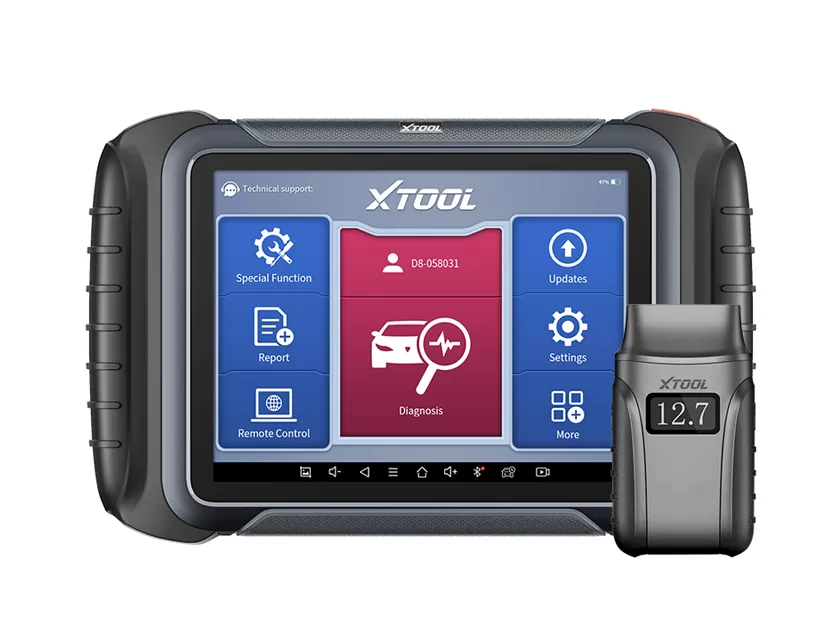
Modern vehicles rely on dozens of ECUs controlling engine, transmission, safety, comfort, and ADAS systems. Many repair scenarios now require software-level work rather than pure mechanical repair. Online programming, often bundled with or described alongside online coding, is the way the brand enables this work without removing modules from the vehicle. Recent platforms such as D7, D9MAX, X100PAD3, and related models have added or expanded online coding and online functions for multiple brands, especially European and Asian models. These scanners are positioned for:
Independent workshops.
Locksmiths and mobile technicians.
Advanced DIY users who need ECU software functions beyond basic diagnostics and service resets.
On the latest version, D7 supports online ECU coding for Mercedes-Benz, BMW, and Volkswagen, as well as offline ECU coding for Mercedes-Benz, Mitsubishi, Volkswagen, Audi, and Skoda.
Important clarification: online programming is not supported on every modern vehicle or every ECU. Coverage varies by device, region, software version, vehicle brand, model year, and the specific ECU. Some newer or highly security-protected ECUs may still require OEM-only access.
| Category | Supported Devices | Notes |
|---|---|---|
| Newly Added | D7, D7X, D7S, D9MAX, D9 EV, D9 HD, IP900, IP900S, IP900 BT, X100PAD3 | These models have online coding or related online functions added. |
| Originally Supported | D7W, D8S, D8W, D9S, D9PRO, IP819, IP919, IP919PRO, IP919MAX, X100PADS, X100MAX, X100MAX2 | These models were already supported before the newer additions. |
| Not Supported | IP616 | This model is not supported for online coding or related online functions. |
| Pending (future firmware) | IP819TP | Support is expected in a future firmware update. |
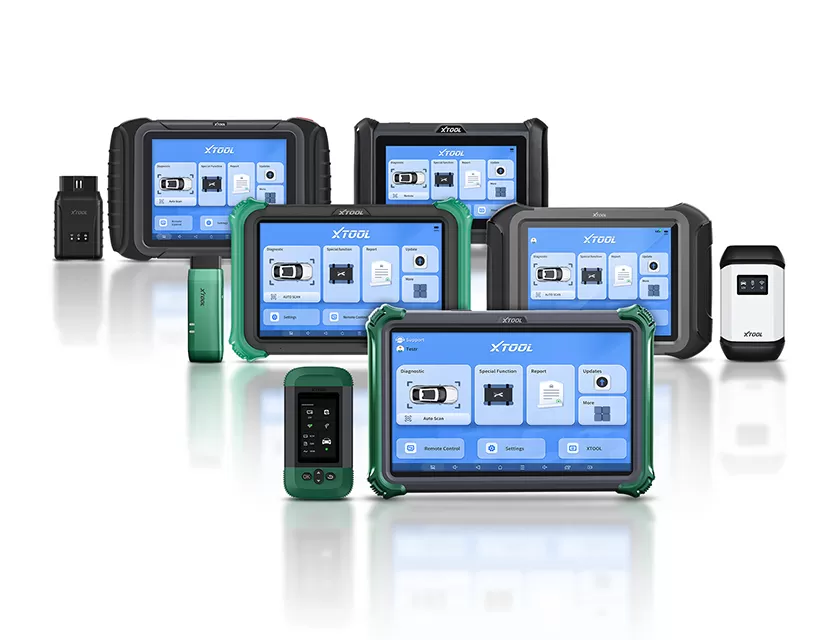
You can find these devices in the product range under Auto Diagnostic Tools, Diagnostic Tools, and Key Programmers. Key models include D7, D7X, D9 MAX, X100PAD3, X100 PADS, and the IP900 and IP919 series.
The company publishes dynamic vehicle coverage lists where you can filter by tool model, brand, and function, including online-related capabilities. These lists cover mainstream global brands such as:
Audi, Volkswagen, BMW, Mercedes-Benz.
Toyota, Honda, Nissan.
Ford, GM and related brands.
Coverage is not uniform across brands or model years because online programming depends heavily on both the tool and the target ECU.
For example:
A given tablet might support online coding for specific control units in a 2016 BMW 3-Series.
It may only provide basic diagnostics for an older model or a different ECU.
Even within the same model, some ECUs may require OEM-only access.
As a practical estimate for marketing and planning, many independent workshop tool makers target coverage of a large share of common diagnostic and coding tasks on the top global brands for the 2008–2022 range, while full OEM-equivalent programming on the newest models typically remains limited and must be checked per VIN.
Online ECU work is less forgiving than basic diagnostics. A dropped connection or low battery can corrupt an ECU and immobilize the vehicle. To minimize problems and deliver professional results, treat each online programming job like a small software deployment project, with controlled power, network, and procedures.
Use a platform that explicitly lists online coding or online programming for the target brand, such as D7, D9MAX, or X100PAD series.
Keep the device firmware and app up to date through the built-in update system or the official Download Center.
Ensure any required licenses or subscriptions for specific functions are active. Many tools offer free updates for 1–3 years, then paid renewals, which is a key business cost for workshops.
Keep the vehicle on an external, stable power supply or high-quality battery maintainer during programming.
Maintain stable voltage during the procedure to avoid ECU resets or flash failures.
Ensure the tablet or handheld scanner itself is fully charged or connected to mains power so the app cannot shut down mid-process.
Use a stable Wi‑Fi or wired hotspot with consistent speed and low latency to reduce timeouts when the device communicates with cloud or OEM servers.
Avoid switching networks or moving the vehicle out of coverage during the procedure.
Disable auto-sleep or power-saving modes on the tablet during programming so the connection stays active.
Back up existing ECU data or configuration when the tool provides an option; industry best practice is to always have a restore point before writing new code.
Follow on-screen prompts step by step and avoid operating windows, lights, or other high-draw systems while programming, which can cause voltage dips.
Document each job, including VIN, ECU, software version, date, and technician, for traceability and warranty discussions with customers.
When used correctly, online programming can save time, increase revenue, and reduce dependence on dealer visits. However, like all ECU work, it carries a non-zero risk of failures, misconfigurations, or warranty disputes if not executed with the right procedures and expectations.
| Benefit | What It Means for Your Shop |
|---|---|
| Faster service and fewer dealer visits | Online programming lets you perform software updates, retrofits, and module replacements in-house, cutting days of waiting for dealer appointments. |
| New revenue streams | ECU retrofits, feature activation, and coding can represent a high-margin add-on service for independent shops. |
| Better customer experience | Offering dealer-level functions for supported ECUs under your own roof improves perceived professionalism and reduces customer downtime. |
| Continuous feature growth | Frequent software updates add coverage and online functions, so the tool can handle more vehicles over time without buying entirely new hardware. |
| Risk | What to Watch For |
|---|---|
| ECU bricking or partial programming | A power loss or network drop can corrupt the ECU flash, potentially immobilizing the vehicle and forcing ECU replacement. |
| Coding misconfiguration | Incorrect online coding choices can trigger DTCs, disable features, or cause unexpected behavior. Professional training and procedure checklists are essential. |
| Warranty and liability concerns | Non-OEM tools may not be endorsed by manufacturers for certain operations; document customer consent and clearly explain what is and is not covered. |
| Coverage gaps | Even with strong coverage, some latest-generation ECUs or highly security-locked modules will still require OEM tools. |
OEM tools remain the gold standard for complete, brand-specific support and compliance, but they are expensive and typically dedicated to a single manufacturer. This platform seeks to cover a wide range of brands with one solution, trading some OEM-level depth for broader usability and lower total cost of ownership for independent shops.
| Aspect | XTOOL Online Programming | OEM Dealer Tools |
|---|---|---|
| Brand coverage | Multi-brand support on a single device, depending on model and subscription. | Typically single-brand or brand-family only, such as VW ODIS, BMW ISTA, or Toyota Techstream. |
| Functions | Diagnostics, service functions, key programming, online coding, and guided functions for supported ECUs; exact scope varies by model and year. | Full access to supported ECUs, factory-level firmware updates, network setup, immobilizer work, and guided diagnostics. |
| Security access | Uses aftermarket or cloud-mediated access where possible; may not support the latest encrypted modules or SFD-style protections on day one. | Direct integration with OEM security frameworks, online accounts, and tokens; often mandatory for immobilizer and safety systems. |
| Hardware cost | One mid-to-high-end tablet can cover many brands; typical aftermarket platform prices are in the four-figure range. | Per-brand costs can also reach four figures, and multi-brand coverage may require multiple OEM setups. |
| Software & subscriptions | Often includes 1–3 years of free updates, then annual renewals; generally cheaper than maintaining multiple OEM subscriptions for a small shop. | Recurring OEM subscriptions per brand, sometimes billed monthly or annually, plus additional access fees for programming packages. |
| Learning curve | Unified interface across brands, which shortens training time for multi-brand independent workshops. | Each OEM tool has its own environment and procedures, increasing training time and complexity. |
| Ideal user | Independent workshops, locksmiths, mobile technicians, and advanced DIY users needing broad, cost-effective coverage. | Dealers, large fleets, and specialists committed to a specific brand with high OEM-level throughput. |
Because modern vehicles may contain 50 or more ECUs, many common services now include a programming component, even if the customer only notices a module replacement or feature activation at the front counter. Online capabilities let you handle these software tasks without outsourcing them to the dealer in many cases.
Module replacement and setup. When replacing ECUs such as engine, transmission, or ABS modules, online coding or programming may be required to match the new unit’s configuration and immobilizer data.
Feature retrofits and activations. Certain comfort or lighting features can be enabled through coding on supported vehicles, turning one-time diagnostic customers into higher-value clients.
Software bug fixes and updates. OEMs release ECU updates to address drivability issues or DTCs; online programming allows you to apply these when supported, improving performance and reliability.
Workshop differentiation. Advertising advanced diagnostic and programming services can help small shops compete against larger garages and dealer networks.
When quoting a job, always confirm compatibility in the Vehicle Coverage or Function Lists, check the exact VIN, model year, and ECU, and clearly explain what is and is not supported for that vehicle.
Explore the full range of diagnostic tools under Auto Diagnostic Tools and Diagnostic Tools.
Because ECU programming sounds technical and risky to many vehicle owners, clear communication, transparent pricing, and straightforward online booking or consultation options are critical to turning website visitors into paying customers.
Use plain-language explanations. Explain online programming as “updating or configuring the car’s computer via a secure connection” instead of heavy jargon; this improves comprehension and trust.
Highlight benefits, not just features. Emphasize faster repairs, fewer dealer trips, and the ability to support modern vehicles up to the model years supported by the tool.
Add clear calls-to-action. Place “Book ECU Programming,” “Check Vehicle Compatibility,” or “Talk to a Specialist” buttons near explanations of the service.
Show qualifications and equipment. Mention that the workshop uses professional diagnostic tablets and follows documented ECU programming procedures, supported by regular software updates.
Offer pre-job compatibility checks. Invite visitors to send VINs or take a quick compatibility check before booking, using published coverage lists as a reference.
Online programming is the process of updating, configuring, or coding vehicle ECUs via a scanner connected to the internet and the car’s OBD port, without removing any modules.
Recent devices such as the D7, D9MAX, and X100PAD3 series support online coding or related online functions for various brands. Always confirm functions for the specific tool model in the official coverage list.
You can check the official vehicle coverage lists by selecting the tool and entering vehicle details, or contact support with your VIN for confirmation. This step is essential before promising online programming to a customer.
When performed with stable voltage, reliable internet, correct procedures, and supported vehicles, online programming is designed to be safe and similar in principle to OEM programming. The main risks come from power or connection loss, or unsupported operations.
It offers multi-brand coverage and many advanced functions, but OEM tools still provide the deepest, most up-to-date coverage and security integration for their own brands. In practice, many workshops use it for most jobs and refer highly specialized tasks to dealers.
You need:
A compatible device with active updates.
Stable workshop Wi‑Fi.
Battery support equipment, such as an external power supply or battery maintainer.
A clear programming workflow.
Documented customer communication explaining the process and limitations.
Online programming offers a practical, cost-effective way for independent workshops to handle many ECU-related jobs on modern vehicles without relying exclusively on dealer tools.
If your customer base includes vehicles from the late 2000s onward, especially complex European or Asian models, investing in a tablet with online capabilities and building a structured programming workflow can significantly expand your service menu. By combining proper technical requirements, transparent communication, and clear calls-to-action on your website, online programming can become a high-value differentiator that increases both customer satisfaction and workshop profitability.
However, for the newest and most security-protected ECUs, OEM tools may still be required. The most reliable approach is to use the multi-brand solution for the majority of jobs and refer highly specialized tasks to dealers when coverage or security access is not available.