Select the XTOOL website you want to visit.
You will only be redirected after selecting a website.
The latest intelligent EVs are changing what technicians need from diagnostic equipment. A standard OBD connection may be enough for many vehicles, but a new platform can require a dedicated physical connection before a scan tool can communicate with its control systems.
That is the challenge XTOOL addresses in its latest workshop video. The demonstration shows how a dedicated XTOOL cable connects a diagnostic device to the Xiaomi YU7, then enables vehicle selection, full-system scanning, topology mapping, ECU access, and live-data viewing.
The model matters. Xiaomi identifies the YU7 as its first SUV while the video itself shows the YU7 selection inside the XTOOL diagnostic software. This walkthrough focuses on the process demonstrated in that vehicle.
- The dedicated cable provides the physical connection needed for deeper communication with the Xiaomi YU7.
- Correct vehicle power state, connector order, and cable selection are essential before scanning.
- The workflow supports an automatic full-system scan, topology view, individual ECU diagnosis, and live data.
- Access to the Xiaomi-specific diagnostic function requires activation through an XTOOL dealer.
XTOOL Xiaomi YU7 diagnostic cable demonstration
Video: [We created the world's first and only diagnostic cable for Xiaomi SUV!]by Xtooltech.
Vehicle diagnostics begins with communication. If a technician cannot establish the right connection to the vehicle network, software coverage alone cannot provide a complete result.
In the XTOOL demonstration, the dedicated harness is installed between the vehicle's original connectors and the relevant control-system ports. Its male connectors plug into the exposed vehicle ports, while its female ports reconnect to the original plugs. This inline arrangement allows the diagnostic equipment to communicate with the vehicle without leaving the factory connections disconnected.
The practical lesson is simple: support for a new EV platform depends on hardware, software, vehicle instructions, and technician workflow working together.
The video begins by switching off the Xiaomi YU7 through the vehicle's service interface. This step is completed before trim panels are removed or connectors are handled.
Technicians should always follow the vehicle manufacturer's service information, workshop safety procedures, and applicable high-voltage precautions. The video is a connection and diagnostic demonstration, not a replacement for official repair documentation or EV safety training.
The demonstrated access sequence starts on the passenger side. The technician removes the triangular side cover, the larger decorative trim, the lower glove-box cover, and finally the glove box itself. This exposes the required ports and nearby control hardware.
The video highlights one easy-to-miss detail: two glove-box lighting connectors should not be unplugged. Disconnecting and reconnecting them may prevent the glove-box light from operating when the vehicle is powered on again.
This is why a useful diagnostic solution needs more than a cable. Clear, vehicle-specific connection guidance helps technicians avoid unnecessary disruption while reaching the correct network points.
After removing the protective cover, the original vehicle connectors are gently unplugged. Their order must be preserved.
The two male plugs on the dedicated XTOOL cable are then connected to the vehicle ports. Next, the cable's female ports are joined to the original male plugs. The video shows that the connectors have a specific left-to-right order and corrects an intentionally reversed arrangement before completing the connection.
Never force a connector. If plug position or orientation is uncertain, compare it with the original arrangement and follow the on-screen instructions provided by the diagnostic software.
Once the inline harness is installed, the vehicle is powered on by pressing the brake pedal. The demonstration then connects a 12V supply through the cigarette-lighter socket and links the diagnostic interface to the vehicle.
The XTOOL setup includes two diagnostic connection options for different models: OBD COM1 and OBD COM2. The Xiaomi YU7 demonstration uses OBD COM1 together with the dedicated LE07 and LE08 cable components shown in the software instructions.
Before continuing, verify that every connection is secure and that the diagnostic device has internet access.
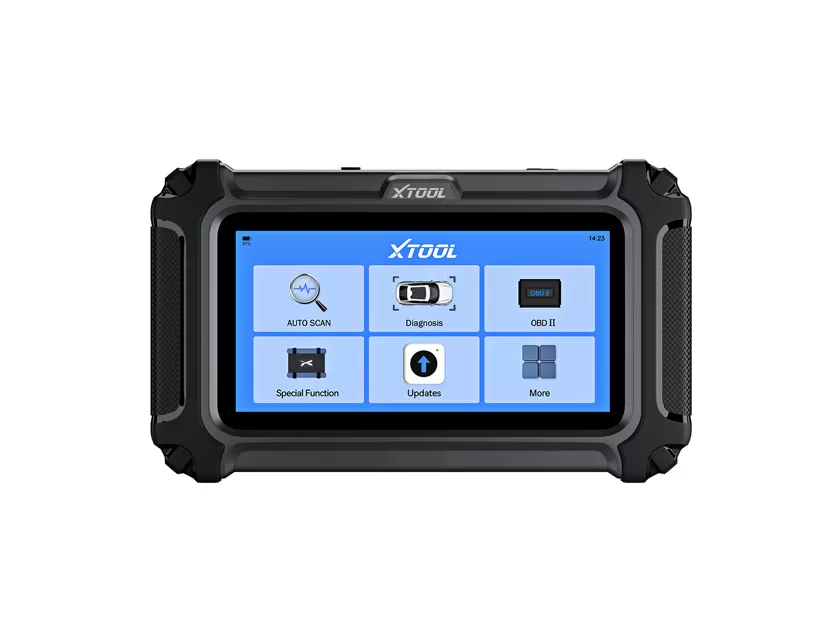
On the XTOOL device, the technician opens Diagnostics, selects Xiaomi Auto, and follows the prompt for the dedicated Xiaomi tester cable.
The Xiaomi-specific function requires an activation code purchased through a local XTOOL dealer. Once the code is entered and activation succeeds, the technician selects Xiaomi YU7. The software presents illustrated connection instructions so the physical setup can be checked again before communication begins.
The operator then selects OBD1, matching the OBD COM1 lead used on the vehicle.
With the hardware and software aligned, the technician starts Automatic Scan. The XTOOL device performs a full-system diagnosis and displays the vehicle's control modules in a topology view.
From that map, the operator can select an individual ECU, enter its diagnostic menu, and open functions such as Live Data. This turns the dedicated cable from a physical adapter into part of a usable repair workflow: connect, identify, scan, navigate, and inspect.
New vehicle brands and platforms are entering workshops faster than generic diagnostic routines can always accommodate them. The service opportunity is real, but only if technicians can establish reliable communication and receive clear guidance for unfamiliar connection points.
XTOOL's Xiaomi YU7 solution brings the necessary pieces together: a dedicated harness, model-specific software, guided connection steps, full-system scanning, topology mapping, ECU-level access, and live data. It is a good example of how diagnostic development must keep pace with the physical and digital architecture of intelligent EVs.
Watch the full Xiaomi YU7 diagnostic demonstration, visit the XTOOL official website, or contact an authorized XTOOL dealer for compatibility, activation, and purchasing information.
Workshop note: Functions and vehicle coverage may change through software updates. Confirm the latest XTOOL function list, cable configuration, and official vehicle service procedures before beginning work.
Writer: Anastasia ZHANG